
Automate customer emails the way you'd train a new hire
Published .
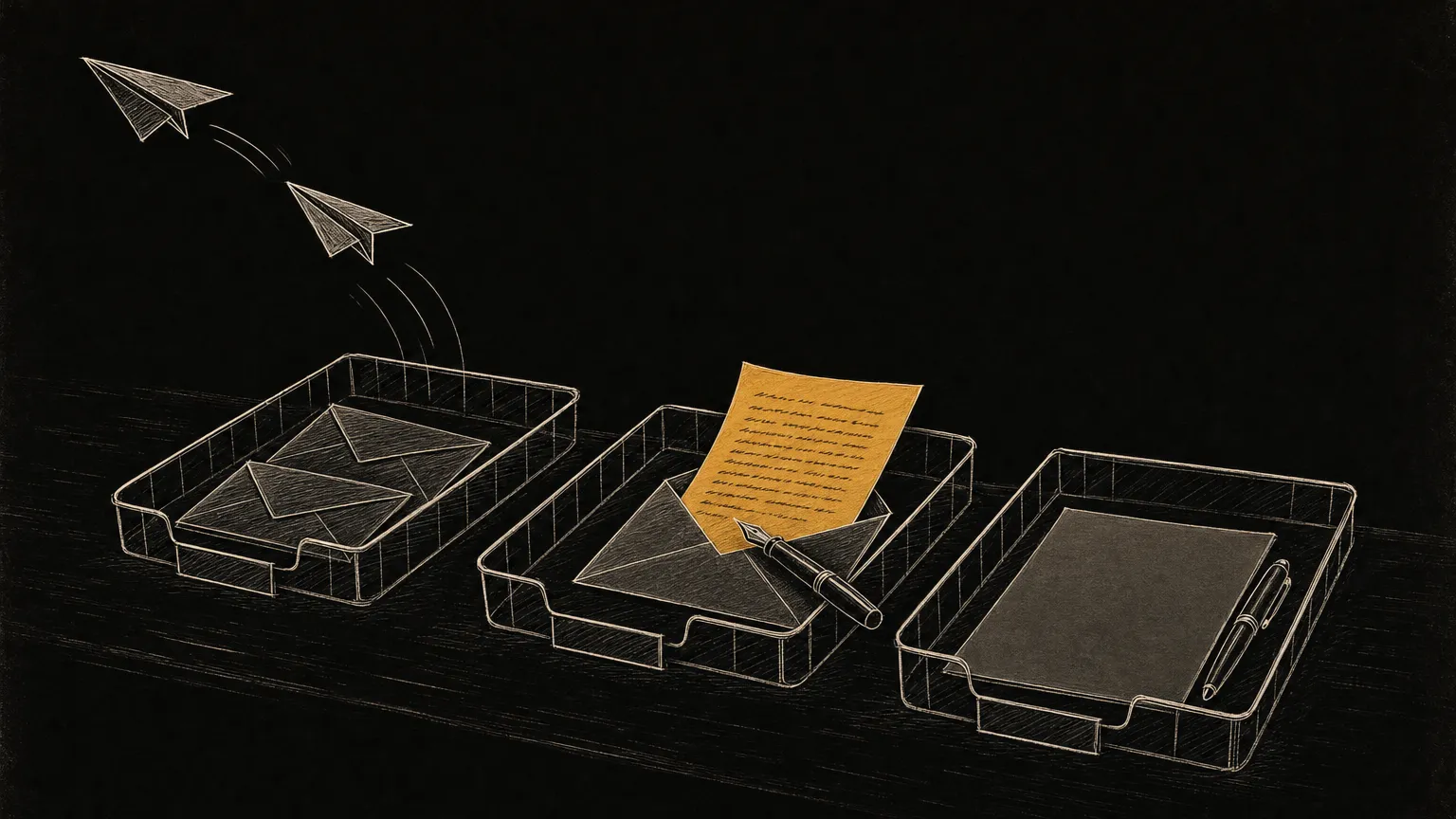
To automate answering customer emails, sort them into three piles: the replies an AI sends on its own, the ones it drafts for you to send after one read, and the ones you write yourself. Every kind of email the AI answers starts in the middle pile, the way a new hire’s first replies cross your desk before they go out. Skip that step and the software sends a confident wrong answer under your name. Keep every email there forever and you have hired an assistant whose work you redo. The drafts themselves tell you when a kind of email is ready to send on its own.
In this article: the three piles · why two piles go wrong · what the AI sends · what it drafts for you · what you write · when a draft sends itself · what it looks like working · the cheapest start · questions people ask · where to start
Can you automate answering customer emails?
You can automate answering customer emails, as long as the AI does not send all of them. Split them three ways:
| Pile | What is in it | Who sends it | Example |
|---|---|---|---|
| Sends on its own | Questions with one written-down answer, whose drafts you have stopped editing | The AI | “Where is my order?” |
| Drafted for you | Questions whose answer is mostly written down, with one detail that depends on you | You, after one read | “Can I move my booking to Thursday?” |
| Written by you | Complaints, money, anything angry, anyone you know by name | You | “It arrived broken.” |
The three piles are for emails from customers, and those can be a small part of an inbox. When ZDNET’s David Gewirtz automated the support inbox of his wife’s online shop, one backlog held 1,689 messages and 25 of them were from real customers (ZDNET). Clear out the newsletters, promotions and spam first, with a mail filter or an AI classifier, so only customer emails reach the piles.
Why does auto-reply or do-it-yourself go wrong?
Auto-reply or do-it-yourself goes wrong because it gives you two choices for each kind of email: let the software send every one, or answer every one yourself. Set a template to go out whenever an email mentions shipping, and the customer whose parcel arrived broken gets your shipping times. Answer everything by hand, and the customer waits for you. A reply that takes a day loses to one that comes in minutes, as the article on website inquiries shows.
ZDNET’s setup shows two piles working. The AI writes replies from ten templates, and a separate script sends them. Everything else goes to a folder for the owner. Its author notes that the usual practice is to leave replies in Drafts for a person to check, and skipped it because the point was replies going out unattended. It works for that shop because its customers mostly need help downloading a product or logging in, and a template could answer about half of their emails.
The emails that cost a business are the ones whose answer is almost the same every time, and a template gets the difference wrong.
Which customer emails can an AI send on its own?
An AI can send a reply on its own when the answer is written down, it is the same for every customer, a wrong answer is cheap to fix, and you have stopped editing its drafts. Order status, shipping times, opening hours, password resets, booking confirmations and how to download a purchase belong in this pile.
The test for written down is in the article on AI receptionists: if a new employee could answer it on day one with the right document open, an AI can answer it too. An email that passes can move into this pile, but only after you have stopped editing its drafts in the middle pile.
Which emails should the AI draft for you to send?
The AI should draft the emails whose answer is mostly written down but has one detail that depends on you. A quote, where the price list is written down and the job in front of you is not. A request to reschedule, where your calendar shows the open slots and only you know whether to fit someone in. A policy question with an exception in it. A customer who is unhappy but not angry.
For these, the AI writes the reply and leaves it in your drafts folder. A good draft lets you send it after one read, so it carries four things:
- The reply itself, written the way you write, ready to send as it is.
- The facts it used and where it found them, so you can check the price or the date without opening another tab.
- The one thing it was not sure of, flagged at the top. That is the detail it needs you for.
- The customer’s email underneath, so you read both in one place.
If a draft is right, you read it and send it. If you change it, your edit is the most useful part of the setup: it shows you which fact the AI had wrong or did not have. Fix that fact in the document the AI reads, and the next draft of that kind comes out right.
Which emails should you always write yourself?
Write an email yourself when the customer needs to know a person read it: complaints, refunds and other money questions, anything angry, anything that sounds like a legal question, and anyone you know by name. An AI can still sort these to the top of your inbox and summarize them, but it should not answer them.
Some emails stay with you because you want them. The owner of the ZDNET shop had the AI leave the “I love your product” emails alone so she could read them herself (ZDNET). Copy that rule: the thank-you notes are the best part of the inbox.
When can a draft start sending on its own?
A kind of email can start sending on its own once you have sent its drafts unchanged for a few weeks. Until then, every draft of that kind crosses your desk, the way a new hire’s replies do before you let them answer customers alone.
If you start editing its drafts again, because a price or a policy changed, it goes back to the middle pile until you have again sent its drafts unchanged for a few weeks. Track this for each kind of email, not for the whole inbox: replies to shipping questions can go out on their own while quotes stay drafts for good.
What does it look like when it works?
In a working setup, a person reviews a short queue the AI has already sorted, and customers get replies built from the business’s own facts. Two of our projects each show one half. Neither project answers a small business’s customer email end to end.
The sorting half: for a digital agency, we built a system that classifies and summarizes over 300 emails a day for more than 50 users, and pulls out the tasks in them with 80% accuracy. It does not reply to anyone. A person used to sort those emails by hand. Now they arrive as a queue a person reviews instead of a queue a person builds. The 80% is the reason a person reviews the queue instead of trusting it.
The answering half: we rebuilt the retrieval system behind Cortado’s AI guest messaging, the part that finds the facts for each reply. These are guest messages about rental properties, not email. Replies had been taking minutes, because the facts about each property sat in separate sources. We moved those facts into one place, and replies came down to under a minute.
Do the same for your inbox: put your prices, policies and hours in one document the AI reads, instead of leaving them scattered across old emails.
What is the cheapest way to start?
The cheapest way to start is canned replies and a few filters in the inbox you already use. For a business that gets the same handful of questions, that is the whole job. Gmail calls canned replies templates and can send one from a filter; Outlook can reply with a saved template from a rule. Compare the three options:
| Option | Wins when | Stops working when |
|---|---|---|
| Canned replies and filters | A handful of questions repeat, word for word | The answer depends on what the customer wrote |
| AI drafts in your inbox | The answer is mostly written down and you want to see every reply | Most drafts go out unedited and reading them is a chore |
| AI that sends on its own | A kind of email’s drafts have gone out unchanged for a few weeks | A price, policy or product changes and nobody updates the source |
The article on website inquiries covers how to write canned replies that answer the question instead of confirming the email arrived.
Frequently asked questions
Is it possible to set up an automated response for an email?
Yes. Gmail and Outlook both send an automatic reply while you are away, and both can reply with a saved template when an email matches a filter or a rule. An automatic reply only counts as an answer if it answers the customer’s question. One that only confirms the email arrived leaves the customer where they started.
Can AI automate email responses?
Yes, for the emails whose answer is written down in your business. An AI can draft those replies, and once you have sent the drafts for one kind of email unchanged for a few weeks, it can send that kind on its own. It should hand complaints, money questions and anything angry to a person.
What’s the best email automation tool for small businesses?
For answering customers, start with the inbox you already use: templates and filters in Gmail or Outlook, then AI drafts in the same inbox. Lists that rank for email automation tools, like Pipedrive’s, cover sending sales and marketing email, which is a different job.
Where do you start?
Start with last month’s customer emails and mark each one: could the AI send it, should it draft it for you, or is it yours? Have the AI draft the biggest kind of email in the middle pile, and keep that kind in the middle pile until you have sent its drafts unchanged for a few weeks.
If you want a second opinion, tell us what your customers email about and roughly how many arrive a week. We will tell you which pile each kind belongs in, and whether canned replies already cover it.
Related services
Answer questions from your own documents
AI agents and LLM systems
A system that reads the documents, answers the questions, and routes what needs a person, with every answer traceable to the source it came from.
Put the repeating work on a schedule
Workflow automation
The process runs on a schedule, and a person reviews the exceptions instead of assembling the whole thing by hand every week.
Find the process worth fixing first
Tell us where the hours, the inquiries or the follow-up are getting stuck. We will tell you whether it is measurable and worth fixing.
- Your current process
- Your numbers
- One clear next step
- You stay in control